Every doctor, every patient, one clear view
Doctor Tracker is a secure admin console for managing doctors and their patients, with fast search, real filtering, and a live analytics dashboard, built for the pace of a real clinic.
Everything the front desk needs
A focused feature set, built end to end. Every card below describes behavior that exists in the running application.
Doctor Management
Create, edit, and remove doctor records (name, specialization, hospital, phone, and email) with a searchable, filterable, paginated list and a detail view for each doctor.
Patient Management
Create, edit, reassign, search, filter, paginate, and remove patient records from a dedicated patients workspace that spans every doctor.
Search & Filtering
Full-text search plus specialization, hospital, condition, doctor, and date-range filters, combinable and reflected in the URL so a filtered view can be bookmarked or shared.
Doctor–Patient Relationships
Add a patient directly from a doctor's record, or reassign an existing one to a different doctor from the patients page. The relationship stays correct everywhere it's shown.
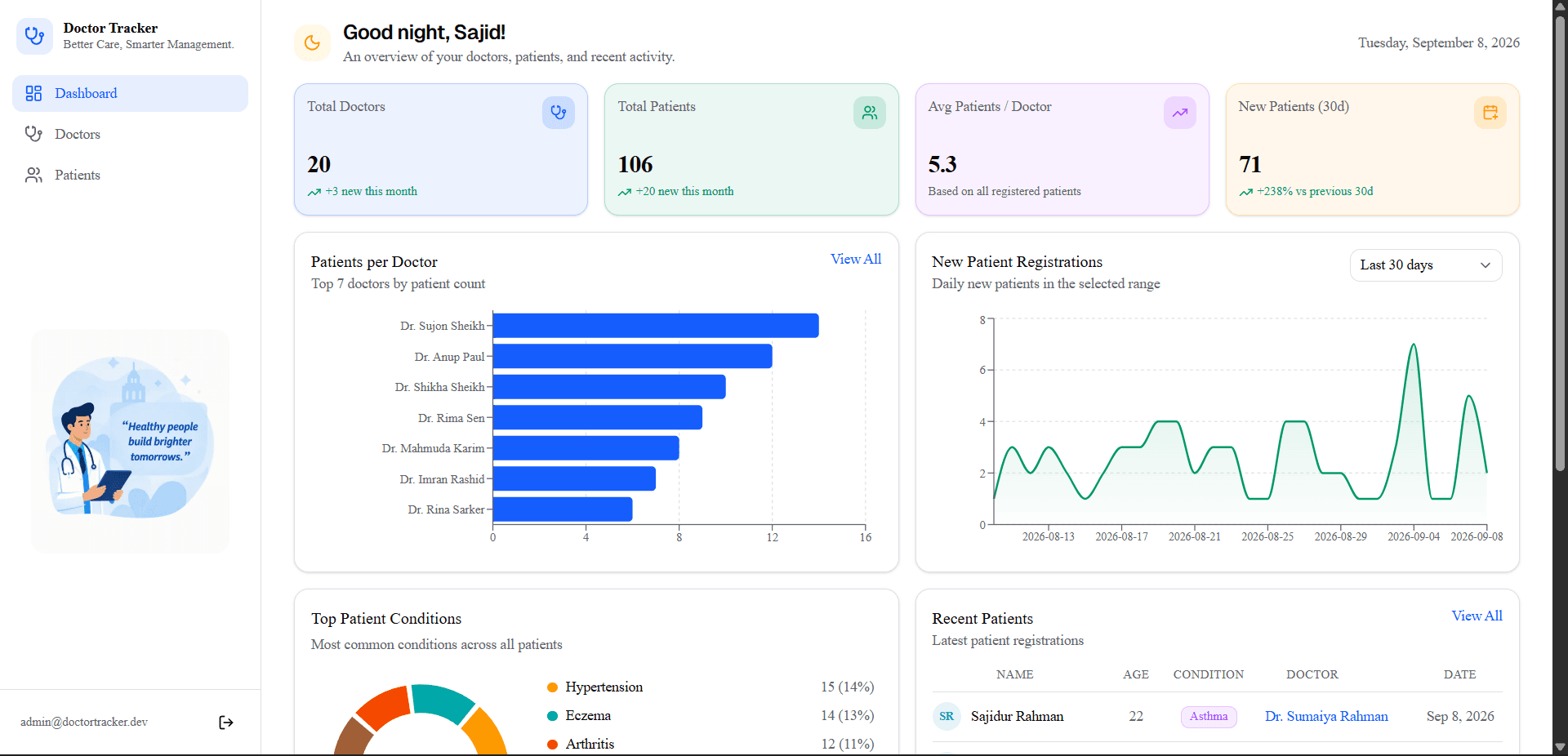
Analytics Dashboard
Doctor and patient totals, a patients-per-doctor breakdown, condition distribution, and new-patient trends over 7, 30, or 90 days, computed by the database, not assembled in the browser.
Secure Authentication
JWT sessions in an httpOnly cookie, issued and verified only by the Express API. Every doctor, patient, and dashboard request is authenticated server-side before data comes back.
Built around real data, not static screens
Next.js renders the interface; a standalone Express API owns every query, validation rule, and security check; MongoDB holds the data.
Browser
Next.js on Vercel
REST API
Express on Render
MongoDB Atlas
Indexed collections
- Compound and text indexes matched to the actual query patterns: a doctor's patient list, condition filters, date-range sorts.
- Every request validated with Zod at the API boundary; errors return a consistent shape, never a raw stack trace.
- Helmet, locked-down CORS, and rate-limited login on the API; TanStack Query manages all server state on the frontend.
- Backend integration tests (Jest + Supertest) and frontend component tests, both written against real request/response behavior.
How it works
Five steps from sign-in to a full operational picture.
- 01
Authenticate
Sign in; the API issues a session cookie only it can read.
- 02
Manage doctors
Add a doctor, or search, filter, and page through the roster.
- 03
Manage patients
Add a patient under a doctor, or edit and reassign from the patients page.
- 04
Search & filter
Narrow either list by specialization, condition, doctor, or date.
- 05
Review analytics
Totals, trends, and breakdowns computed live from the same data.